
Table of contents
- How a Visitor Check-In Kiosk Works
- Common Concerns About Visitor Check-In Kiosks
- Is a Visitor Check-In Kiosk Right for Your Facility?
- What Does ALICE Receptionist Offer?
- See what your front desk looks like without a full-time receptionist.
- Frequently Asked Questions
- See What a Visitor Check-In Kiosk Looks Like for Your Facility
A visitor check-in kiosk is a touchscreen system placed at a building entrance that handles the arrival process without a staffed front desk. Visitors check themselves in, their host gets notified automatically, and the organization maintains a digital record of everyone who entered. For many facilities, a kiosk covers the full scope of what a receptionist handled at the front door, at a fraction of the cost.
The right configuration depends on your facility. This guide covers how a visitor check-in kiosk works, what it costs, and how to evaluate the most common questions before making a decision.
How a Visitor Check-In Kiosk Works
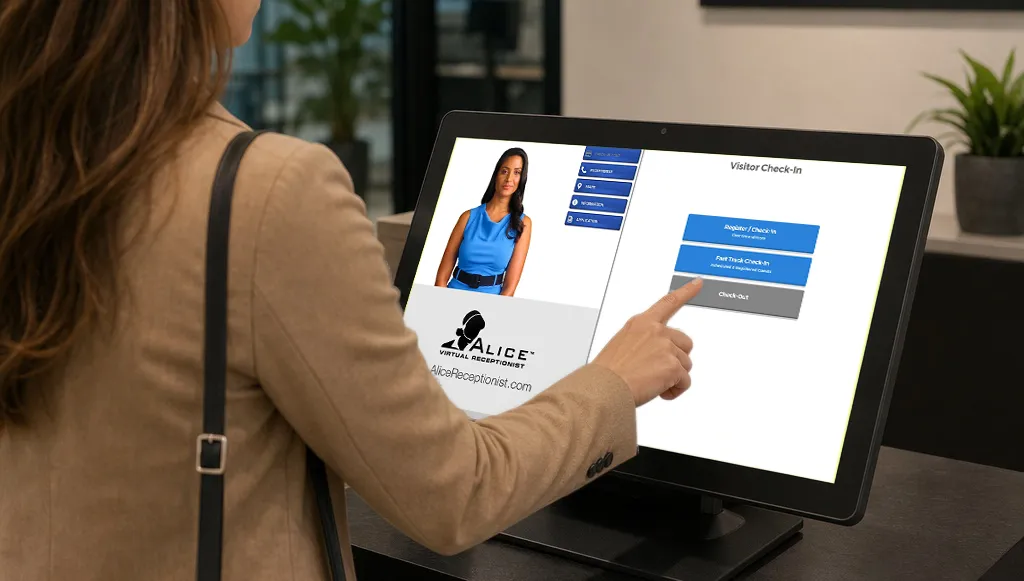
A visitor check-in kiosk replaces the manual sign-in process with a self-guided touchscreen experience. When a visitor arrives, they interact with the kiosk to complete check-in, which typically involves the following steps.
- Automatic Greeting. When a visitor approaches, the kiosk detects motion and an avatar greets them automatically, initiating the check-in process without any button press or interaction required.
- Identification. The visitor enters their name, the host they are visiting, and the purpose of their visit. Some systems support pre-registration, where visitors receive a QR code or visitor code ahead of time that speeds up the process.
- Host notification. Once check-in is complete, the host receives an automatic notification by text, email, or call through a communication platform like Microsoft Teams or Slack, so they know their visitor has arrived.
- Badge printing. The kiosk prints a badge on the spot, which identifies the visitor and the date and time of their visit. This is particularly useful for facilities that require visitors to wear identification while on site.
- Live connection. If the visitor has questions, needs directions, or the situation requires a conversation, modern lobby kiosk systems allow the visitor to connect directly with a staff member over two-way video from the kiosk itself. The visitor is not left to figure things out on their own.
- Digital log. Every check-in is recorded automatically, creating a searchable audit trail of visitor activity. This log is available to administrators without managing a paper sign-in sheet.
The entire process typically takes under a minute for a returning visitor and a few minutes for someone checking in for the first time.
Common Concerns About Visitor Check-In Kiosks
Most organizations that evaluate kiosks raise similar objections before committing. Here is how those concerns hold up against what the technology actually does.
Our Visitors Will Not Know How to Use It
This is the most common concern. Modern visitor check-in kiosks are designed with first-time users in mind. The interface is guided, step-by-step, and requires no prior experience. The more relevant question is not whether visitors can identify the kiosk as their starting point. Signs and messages can be used to direct visitors to a kiosk, however a more professional solution is using a proactive greeting. Kiosks with motion detection can detect visitors, and welcoming them to your organization by name and providing verbal and on-screen instructions on how to begin.
Organizations serving non-English-speaking visitors or visitors with accessibility needs can configure multi-language support and ADA-compliant interfaces to match their specific visitor profile, including wheel-chair accessible hardware, ASL interpretation services, and TTY support.
We Need a Human for Complex Situations
A visitor check-in kiosk does not eliminate the human element. It changes where the human is. When a situation requires judgment, a conversation, or assistance that the kiosk cannot provide, the visitor connects directly with a staff member over live video from the kiosk screen. The staff member can be anywhere in the building, working remotely, or covering multiple locations simultaneously.
For organizations with unstaffed locations, after-hours facilities, or reception desks that go unattended during breaks and meetings, this model extends coverage without adding headcount.

The Upfront Cost Is Too High
Hardware costs are real, and they vary depending on the kiosk configuration. However, the relevant comparison is not the cost of a kiosk against zero. It is the cost of a kiosk against what you are currently spending. A full-time receptionist costs between $40,000 and $55,000 per year in base salary before benefits, payroll taxes, and paid time off. Software subscriptions for a full lobby automation platform run $299 to $499 per month. The numbers favor the kiosk for most facilities with consistent visitor traffic.
For organizations concerned about upfront hardware investment, flexible software can be installed on a variety of hardware form factors, including affordable tablets, all-in-one displays, and compact kiosks.
Government agencies, nonprofit organizations, and multi-location deployments often qualify for additional pricing considerations. The best way to get an accurate number for your specific facility is a direct conversation with a provider, since configuration, visitor volume, and location count all affect the total.
We Only Have a Few Visitors per Day
Low visitor volume is actually one of the strongest arguments for a kiosk, not against it. A facility that receives a handful of visitors per day does not need a dedicated receptionist sitting at a desk for eight hours to handle those arrivals. But leaving your visitors without a greeting or proper direction creates a high risk for damaging their view of and relationship with your brand.
A kiosk handles each check-in as it happens, notifies the right person, and maintains a complete log, without any staffing cost between visits.
The ROI case is clearest at the extremes: very high volume facilities save on staffing, and very low volume facilities save on the cost of overstaffing for a job that does not require full-time coverage.
Is a Visitor Check-In Kiosk Right for Your Facility?
A visitor check-in kiosk is a strong fit for most organizations with a physical entry point and any level of regular visitor traffic. It is particularly well suited when one or more of the following apply.
- Your facility has a physical lobby, reception area, or public-facing entry point where visitors arrive.
- Your front desk is unstaffed for any portion of the day, whether during breaks, after hours, or at satellite locations.
- You are currently paying for a dedicated receptionist position and visitor check-in is a primary part of that role.
- Your organization requires a searchable visitor log, badge printing, or visitor verification for compliance or security purposes.
- You manage multiple locations and want a consistent arrival experience across all of them.
A kiosk is likely not the right primary solution if your organization has no physical entry point where visitors arrive.
What Does ALICE Receptionist Offer?
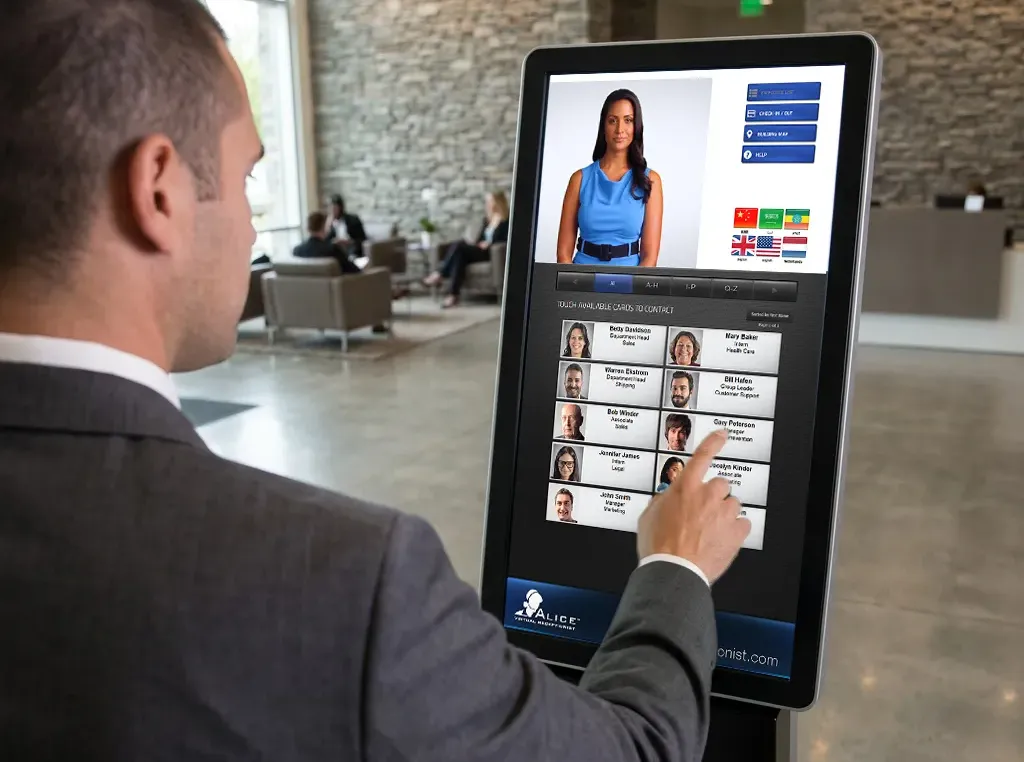
ALICE Receptionist is a virtual front desk and visitor management platform built around the lobby kiosk experience. It handles visitor check-in, host notification, badge printing, building directory, and live two-way video connection between visitors and staff. Pricing starts at $299 per month for a full lobby automation platform, scaling to $499 per month for the complete platform.
Full plan details are available at the ALICE Receptionist pricing page. If you want to see how it maps to your facility, book a demo and a member of the team will walk you through the configuration options for your specific situation.

Book a Demo
See what your front desk looks like without a full-time receptionist.
ALICE Receptionist handles the complete lobby arrival experience automatically: visitor check-in, badge printing, host notification, and two-way communication with staff. A demo shows you exactly how it maps to your entry points, your visitor volume, and your current setup.
Book a demo and see how a kiosk covers your front desk without covering a salary.
Frequently Asked Questions
What is a visitor check-in kiosk?
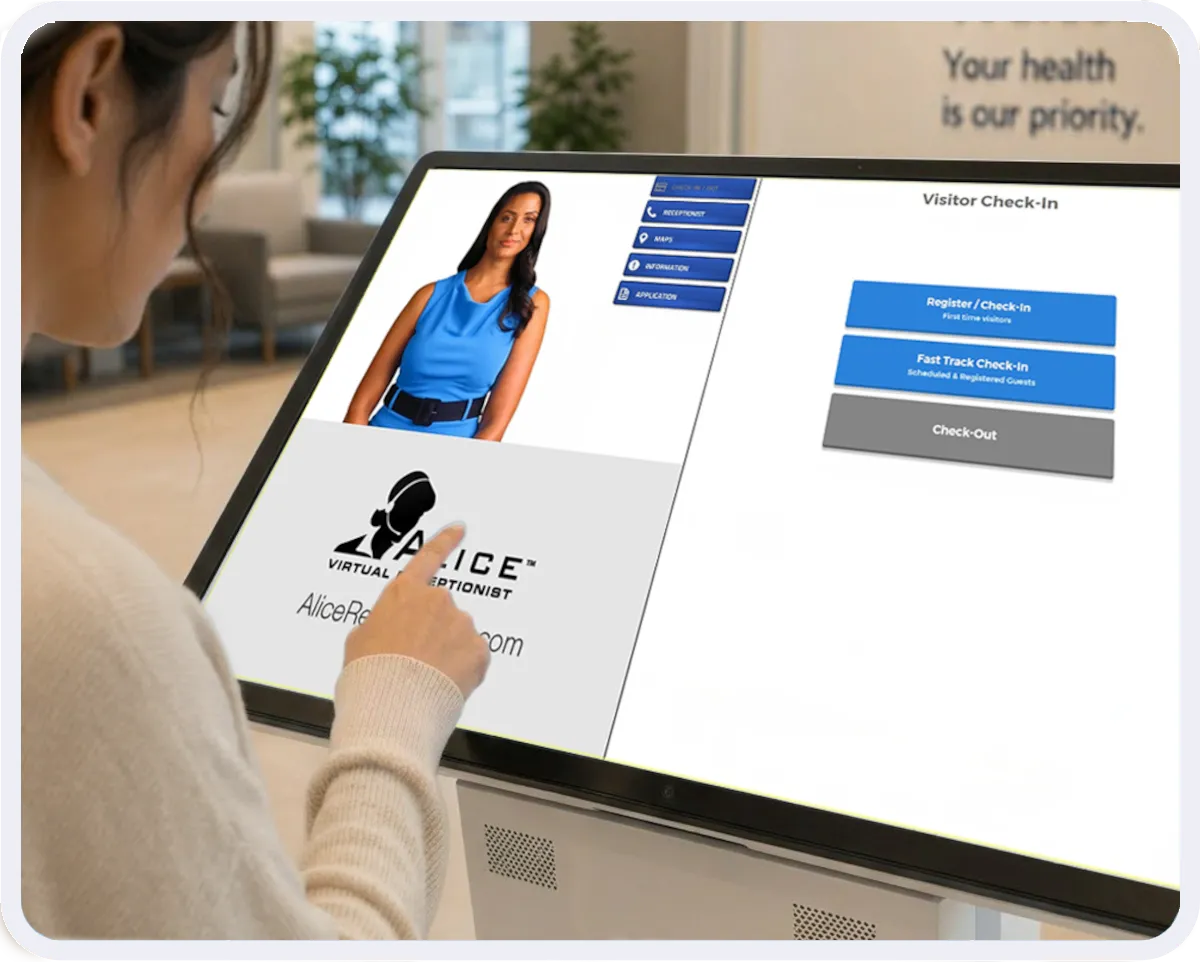
A visitor check-in kiosk is a touchscreen system placed at a building entrance that guides visitors through the arrival process without a staffed receptionist. It collects visitor information, notifies the host, prints a badge if required, and maintains a digital log of all arrivals. ALICE Receptionist also supports live video connection between the visitor and a staff member for situations that require a human response.
How does a visitor registration kiosk work?
A visitor registration kiosk walks the visitor through a step-by-step check-in process on a touchscreen. The visitor enters their name, selects or enters the host they are visiting, and completes any required fields such as purpose of visit or identification. The host receives an automatic notification and the visit is logged digitally. Pre-registration options allow visitors to receive a QR code or PIN ahead of time, which speeds up the process on arrival.
What is the difference between a visitor kiosk and a receptionist?
A visitor kiosk automates the arrival and check-in process that a receptionist would otherwise handle manually. The key difference is availability and cost. A kiosk operates continuously without breaks, shift changes, or sick days, and the monthly software cost is significantly lower than a full-time receptionist salary. ALICE Receptionist also includes live video connection to a staff member, which means the human element is preserved for situations that require it.
Can a visitor check-in kiosk work for an unstaffed location?
Yes. Visitor check-in kiosks are particularly well suited for unstaffed or after-hours locations. The kiosk handles the check-in process automatically, and if a visitor needs to speak with someone, the live video connection routes them to a remote staff member who can assist from anywhere. This model is used in police stations, courthouses, manufacturing facilities, and other locations where staffing a front desk around the clock is not practical.
How much does a visitor check-in kiosk cost?
Visitor check-in kiosk costs typically include a hardware component and a software subscription. Software subscriptions for a full lobby automation platform run $299 to $499 per month. Hardware costs vary depending on the configuration. Annual billing typically reduces the software cost, and additional discounts are often available for government organizations, nonprofits, and multi-location deployments.
Do visitors need to be tech-savvy to use a check-in kiosk?
No. Visitor check-in kiosks are designed for first-time users with no prior experience. The interface includes instructions and step-by-step check-in processes. Most systems support multiple languages and ADA-compliant configurations for visitors with accessibility needs. The setup and configuration of the kiosk matters more than the visitor’s technical familiarity.
See What a Visitor Check-In Kiosk Looks Like for Your Facility
The fastest way to evaluate whether a kiosk fits your organization is to see it running against your actual scenario: your visitor volume, your facility layout, and your current setup. Book a demo and a member of the ALICE team will walk you through how it works and what it costs for your specific situation.