

Table of contents
- Why Law Firms Need a Different Kind of Virtual Receptionist
- What “Virtual Receptionist” Means in a Law Firm
- Why Traditional Receptionist Solutions Fall Short for Law Firms
- The 7 Features That Matter Most in the Best Virtual Receptionist for Law Firms
- Comparing Virtual Receptionist Options for Law Firms
- What Makes ALICE One of the Best Virtual Receptionists for Law Firms
- How to Choose the Best Virtual Receptionist for Your Firm
- Frequently Asked Questions
- Ready for a more discreet, professional law office front desk?
Why Law Firms Need a Different Kind of Virtual Receptionist
If you run a law firm, your front desk isn’t “just reception.” It’s where client trust begins, often during sensitive, high-stakes moments.
The best virtual receptionist for law firms should do more than connect guests with your team. It should help you deliver a consistent, professional greeting, keep client details discreet, reduce staff interruptions, and create reliable records of who arrived and when.
This guide breaks down the types of virtual receptionist solutions available, the law-firm-specific features that matter most, and how to choose the right fit for your office.
What “Virtual Receptionist” Means in a Law Firm
For most firms, “virtual receptionist” can refer to one of three things:
- Live call-answering services (humans answering and routing phone calls)
- Phone systems + IVR (menus, call routing, voicemail, business hours rules)
- Virtual front desk systems (in-office client check-in, notifications, visitor logs, privacy-first arrivals)
If your biggest pain is missed calls, #1 is relevant.
If your primary concern is a busy lobby, interruptions, or confidentiality concerns at reception, #3 is usually what you need.
Why Traditional Receptionist Solutions Fall Short for Law Firms
A law office has unique reception realities that most generic receptionist tools don’t address well:
- Confidentiality: Clients shouldn’t have to announce names, matters, or appointments in a lobby.
- Professional expectations: A polished greeting and clear direction sets the tone for the attorney-client relationship.
- Interruptions kill billables: Every confused or lost client moment pulls your team away from the work that matters.
- Security & documentation: Firms often need consistent visitor logs and controlled check-in procedures.
The “best” virtual receptionist isn’t the one with the most features. It’s the one that fits how legal offices actually operate.
The 7 Features That Matter Most in the Best Virtual Receptionist for Law Firms

1. Discreet, self-guided client check-in
The best experience reduces lobby conversations. Clients should be able to check in quickly using clear on-screen prompts without explaining who they’re meeting or why they’re there out loud.
2. Instant staff notifications
You want the right person notified automatically when a client arrives without the front desk becoming a bottleneck.
Look for notifications that meet your team where you need them, such as SMS, Email, Slack, and Teams notifications, so meetings start on time and your client’s time is respected.
3. Secure visitor logs and audit trails
A reliable log of arrivals supports internal policies and helps standardize processes across your office(s).
4. Optional identity verification and screening
Not every firm needs it, but when you do, you really do. The right solution should support optional verification steps and configurable questionnaires.
5. Badge printing for clarity and control
Badges help staff quickly recognize visitors and keep your office organized and secure.
6. Pre-registration and fast-track arrivals
If a client is scheduled, pre-check-in or QR-based fast check-in can minimize wait times—especially helpful for repeat clients or multi-appointment days.
7. A private way to handle “I need help” moments
Sometimes clients need assistance during check-in. The best systems provide a way to connect with staff, ideally with options that support privacy, for example, private audio communications.
Comparing Virtual Receptionist Options for Law Firms
Option A: Live answering services (human receptionists)
Best for: firms primarily struggling with missed calls
Pros: friendly touch, overflow support, basic intake scripts
Cons: doesn’t solve lobby privacy or in-office arrival flow; can still interrupt staff once clients arrive
Option B: Phone systems / IVR
Best for: routing calls by department, time, urgency
Pros: cost-effective, works for high-volume inbound calls
Cons: can feel impersonal; doesn’t solve client arrivals, visitor logs, or lobby operations
Option C: Virtual front desk + visitor management (ideal for in-person law offices)
Best for: firms that want a professional, discreet, consistent check-in experience
Pros: reduces interruptions, improves client experience, strengthens privacy and process consistency
Cons: requires a kiosk/device in the office (and the choice to standardize the intake flow)
For many law firms, the “virtual receptionist” that delivers the biggest operational win is the one that modernizes the front desk experience, not just the phone line.

What Makes ALICE One of the Best Virtual Receptionists for Law Firms
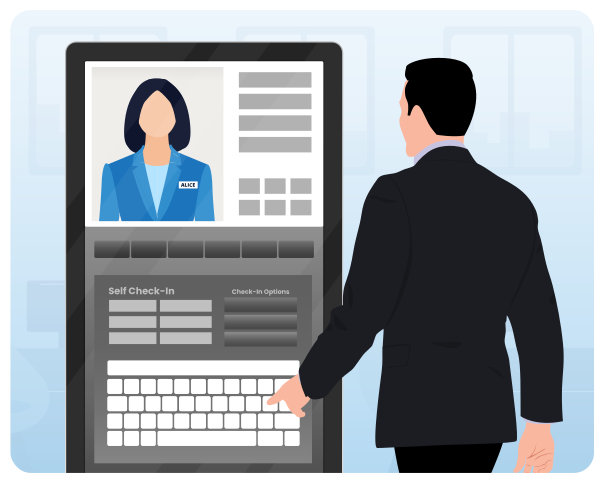
ALICE Receptionist is built to automate the front desk experience with a focus on professional greetings, structured check-in flows, and reduced interruptions, especially important in legal environments.
Here’s how it maps to what law firms care about most:
- Proactive, polished greeting: Clients are welcomed immediately with clear instructions, no uncertainty, no awkward waiting.
- Discreet check-in: Guided prompts reduce the need for verbal exchanges in the lobby.
- Two-way video calls when needed: If live help is required, clients can connect through the kiosk. For added privacy, an optional handset on Lincoln kiosks supports more discreet audio.
- Real-time notifications: The right attorney, paralegal, or staff member is alerted when the client completes check-in.
- Visitor logs configurable data capture: Capture only what you need, keep the process consistent, and support internal reporting and policy needs.
- Security screening options: Optional identity verification and questionnaires can support risk management for certain offices or matters.
- Built for small or multi-office firms: Standardize workflows and messaging across locations.
If your goal is to protect client trust, reduce disruptions, and run a more consistent front office, ALICE is purpose-built for that job.

Book a Demo
Step into the Future with Automated Visitor Management
Get a personalized look at how ALICE helps law firms deliver a discreet, professional check-in experience while reducing front desk interruptions and keeping attorneys focused on billable work.
See how automated greetings, staff notifications, and visitor logs can save time and improve consistency without compromising the client experience.
Ideal for small and mid-size law firms looking to modernize their front desk without adding headcount.
How to Choose the Best Virtual Receptionist for Your Firm
Use these questions to make the decision quickly:
- Is our biggest problem calls, arrivals, or both?
- Do we need discreet check-in to reduce lobby conversations?
- Do attorneys get interrupted frequently by front desk tasks?
- Do we want consistent visitor logs for documentation and policies?
- Do we need optional security screening or verification?
- Will we grow into multiple offices (or already have them)?
If most of your “yes” answers are about arrivals, privacy, and interruptions, you’re likely looking for a virtual front desk system and not a call-answering service.
Frequently Asked Questions
What is the best virtual receptionist for law firms?
The best virtual receptionist is the one that matches your firm’s needs with call handling, discreet client check-in, reduced staff interruptions, and secure visitor logs. For in-office client arrivals, a virtual front desk system is often the best fit.
How does a virtual receptionist improve confidentiality?
By reducing lobby conversations and enabling self-guided check-in, clients don’t need to announce details publicly. Some systems also support private ways to request help.
Can a virtual receptionist notify attorneys when a client arrives?
Yes. High-quality solutions notify the correct attorney or staff member automatically after check-in, reducing delays and interruptions.
Do law firms need visitor logs?
Many firms benefit from consistent visitor logs to support internal policies, reporting, and operational consistency, especially across multiple locations.
Ready for a more discreet, professional law office front desk?
If you want to greet clients consistently, reduce front desk interruptions, and improve check-in privacy, ALICE can help.
Schedule a Live Demo Today to see how ALICE supports law firm check-in workflows, staff notifications, visitor logs, and optional security screening.