
Table of contents
- What Is Microsoft Teams Visitor Management?
- Teams Visitor Check-In: How It Works
- Face-to-Face Visitor Connections in Microsoft Teams
- Why Organizations Are Moving Visitor Management into Teams
- Why a Purpose-Built Visitor Management System Matters
- Getting More Value from Microsoft Teams
- Centralize Visitor Management Inside Microsoft Teams
- Frequently Asked Questions About Microsoft Teams Visitor Management
- What’s the difference between Teams visitor management and a visitor management system?
- Can Microsoft Teams notify a department or channel when a visitor arrives?
- What happens if a host is unavailable?
- Does Microsoft Teams visitor management help with compliance?
- Do employees need to install another app?
- Bringing It All Together
- Ready to get more out of Microsoft Teams at your front desk?
Microsoft Teams is where your employees collaborate, meet, and manage daily communication across Microsoft 365. But when a visitor arrives at your front desk, that workflow often lives somewhere else. Phone calls. Manual handoffs. Missed notifications. Outdated directories.
Microsoft Teams visitor management connects your visitor check-in process directly to the platform your team already uses without adding another app or increasing complexity.
What Is Microsoft Teams Visitor Management?
Microsoft Teams visitor management is a visitor management workflow that connects digital check-in, directory-based routing, visitor notifications, and automatic logging directly to Microsoft Teams. It allows employees to receive alerts and communicate with visitors inside Teams, while the visitor management system manages check-in, security screening, and reporting.
For organizations standardized on Microsoft 365, this ensures visitor communication aligns with existing identity, directory, and collaboration infrastructure.
Teams Visitor Check-In: How It Works
A modern Teams-based visitor workflow typically follows four steps.
1. Visitors Check In at the Kiosk
Walk-in visitors check in digitally upon arrival.
For scheduled meetings, hosts can create appointments that sync with their calendar. Guests can pre-register, receive confirmation details, review documentation, and check in quickly using QR codes.
This reduces wait times and improves first impressions.
2. Directory Syncing Routes Visitors Accurately
Outdated contact lists create front desk delays.
When a visitor management system syncs with Active Directory, employee information stays current. Visitors are routed automatically to the correct host, team, or department without manual updates.
No spreadsheets. No stale extensions.
3. Visitor Notifications in Microsoft Teams

When a guest arrives, Microsoft Teams sends:
- Real-time visitor notifications and alerts to individuals or Teams channels
- Front desk calls directly in the Teams app
Employees interact entirely through Microsoft Teams, with no separate softphones or extra apps required.
This ensures visitor notifications aren’t missed, even in hybrid environments.
4. Visits Are Logged Automatically
Every arrival, notification, response, and outcome is recorded automatically.
Automatic visitor logs create:
- A clear audit trail
- Improved reporting visibility
- Operational insight for facilities and security teams
Manual tracking becomes unnecessary.
Face-to-Face Visitor Connections in Microsoft Teams
When a visitor arrives, the goal isn’t just to notify someone; it’s to create a smooth, professional introduction.
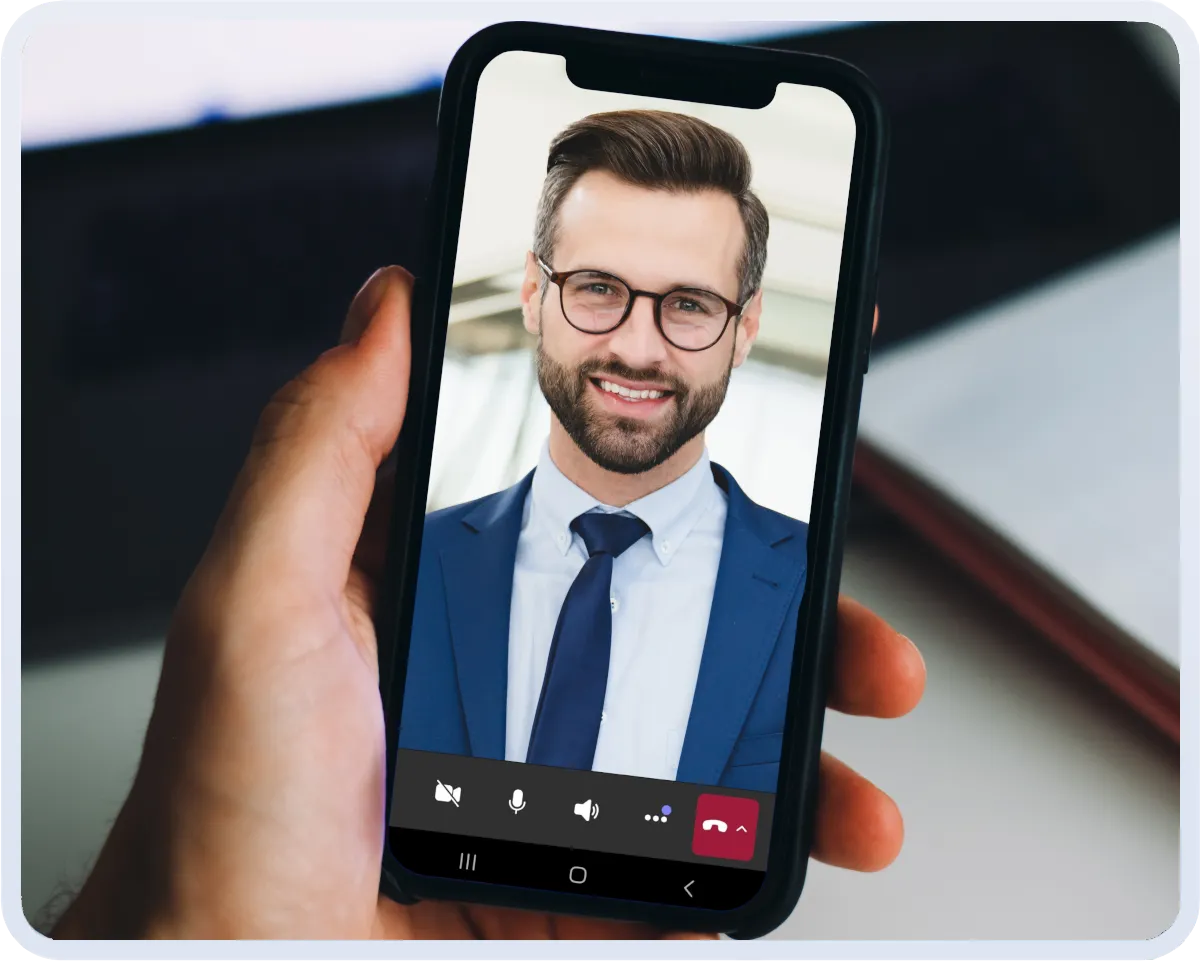
Visitor workflows can notify the right person or a Teams channel, and give guests a direct way to connect with their host through Microsoft Teams.
With a Teams-connected visitor workflow:
- Visitors can initiate a two-way video conversation from the kiosk
- Hosts respond within the Teams app they already use
- Built-in features like background blur and mute controls are available
This approach supports real, face-to-face interaction from the moment a guest arrives, helping employees greet visitors confidently and build rapport without leaving their workflow.
Rather than disrupting work, Teams becomes a bridge between the front desk and your staff, ensuring every visitor receives a proactive, personal response.
Why Organizations Are Moving Visitor Management into Teams
Bringing visitor workflows into Microsoft Teams solves multiple operational challenges at once.
Reduce Front Desk Complexity
Visitor routing, calls, and notifications are automated. Administration remains centralized within the visitor management system while Teams handles communication.
Improve the Visitor Experience
A proactive, guided greeting combined with instant Teams notifications reduces confusion and waiting.
Visitors are acknowledged quickly. Hosts are informed immediately. The experience feels professional and organized.
Strengthen Workplace Security
Microsoft Teams visitor management increases visibility into on-site activity.
Organizations can:
- Verify visitor identity
- Screen guests against watchlists
- Maintain automatic visit logs
- Monitor active visitor records
Security and communication stay connected.
Support Multi-Site and Hybrid Workplaces
Modern organizations rarely operate from a single office.
A Teams-connected visitor management system supports:
- Multi-location deployments
- Site-specific workflows
- Centralized administration
- Cross-office visitor call routing in Microsoft Teams
As your organization grows, workflows adapt without increasing complexity.
Why a Purpose-Built Visitor Management System Matters
Microsoft Teams is a communication platform, not a visitor workflow engine.
A Microsoft Teams visitor management system integrates with Teams rather than replacing its native features.
This distinction matters.
A purpose-built visitor management system:
- Manages check-in workflows
- Handles routing and directory syncing
- Logs visitor activity automatically
- Connects seamlessly to Microsoft Teams for communication
Teams remains the communication hub. The visitor management system handles operations.
Getting More Value from Microsoft Teams
Organizations invest heavily in Microsoft 365 and Microsoft Teams infrastructure.
Extending visitor management into Teams:
- Reduces tool sprawl
- Minimizes employee retraining
- Improves responsiveness
- Simplifies front desk communication
You’re not adding another platform. You’re strengthening the workflows already running your workplace.

Book a Demo
Centralize Visitor Management Inside Microsoft Teams
See how ALICE connects visitor check-in, routing, and reporting directly to Microsoft Teams—while keeping administration centralized and secure.
Designed for IT leaders who want structured, scalable visitor management that aligns with their Microsoft environment.
Frequently Asked Questions About Microsoft Teams Visitor Management
IT and operations leaders often ask practical questions about how Microsoft Teams visitor management works in real-world environments.
What’s the difference between Teams visitor management and a visitor management system?
Microsoft Teams handles communication. A visitor management system handles check-in, routing, logging, security workflows, and reporting. Teams integration with visitor management systems connects the two.
Can Microsoft Teams notify a department or channel when a visitor arrives?
Yes. Visitor workflows can notify a Teams channel for a department or individual users. Additional notification methods such as email or SMS are also available.
What happens if a host is unavailable?
Visitor workflows can escalate to backup contacts, alternate teams, or additional notification methods such as email or SMS.
Does Microsoft Teams visitor management help with compliance?
Yes. Automatic visitor logs, identity verification, and centralized reporting improve visibility and audit readiness.
Do employees need to install another app?
No. Employees respond to visitor notifications and calls directly within Microsoft Teams.
Bringing It All Together
Microsoft Teams visitor management connects front desk operations to the communication platform your team already uses daily.
When check-in, routing, notifications, and logging work together, organizations benefit from:
- Real-time visitor notifications in Microsoft Teams
- Accurate directory syncing with Active Directory
- Two-way front desk calls inside Teams
- Automatic visitor logs and reporting
- Professional, proactive visitor experiences
Microsoft Teams handles communication. A visitor management system handles the workflow.
If you want to see how a purpose-built visitor management system for Microsoft Teams works in practice, explore our Teams integration page to learn more.
Ready to get more out of Microsoft Teams at your front desk?
Book a call with our team to see how ALICE routes visitors, delivers real-time Teams notifications and calls, syncs with Active Directory, and automatically logs every visit.