Table of contents
- What a Digital Front Desk Replaces
- Core Components of a Digital Front Desk
- Who Uses a Digital Front Desk
- Benefits of a Digital Front Desk
- How ALICE Approaches the Digital Front Desk
- How It Fits Different Industries
- How ALICE Receptionist Reduces Costs
- See ALICE’s Virtual Front Desk in Action
- Frequently Asked Questions
A digital front desk is a self-service system that replaces or supplements a traditional reception area, handling visitor check-in, host notifications, and guest management through a kiosk, tablet, or screen instead of a staffed desk. It gives every visitor a consistent, professional welcome without requiring someone to sit at the front of the building all day.
For office managers, facilities leads, and operations teams, the appeal is simple: fewer staffing gaps, a more consistent guest experience, and a clear digital record of who came through the door and why.
What a Digital Front Desk Replaces
Most buildings handle visitors one of two ways today: a staffed reception desk, or a paper sign-in sheet sitting unattended near the entrance. Both have real limits.
A staffed desk costs money to cover during lunch breaks, sick days, and after hours. When no one is available, visitors end up waiting or wandering the lobby unsupervised. A paper sign-in sheet solves the coverage problem, but it creates a new one: handwriting is often illegible, entries are incomplete, and the log itself is easy to lose. That becomes a real problem during an audit or a security review.
A digital front desk closes both gaps at once. It greets visitors the moment they arrive, walks them through check-in, and notifies the right person automatically. No one needs to be stationed at the door for any of that to happen.
Core Components of a Digital Front Desk
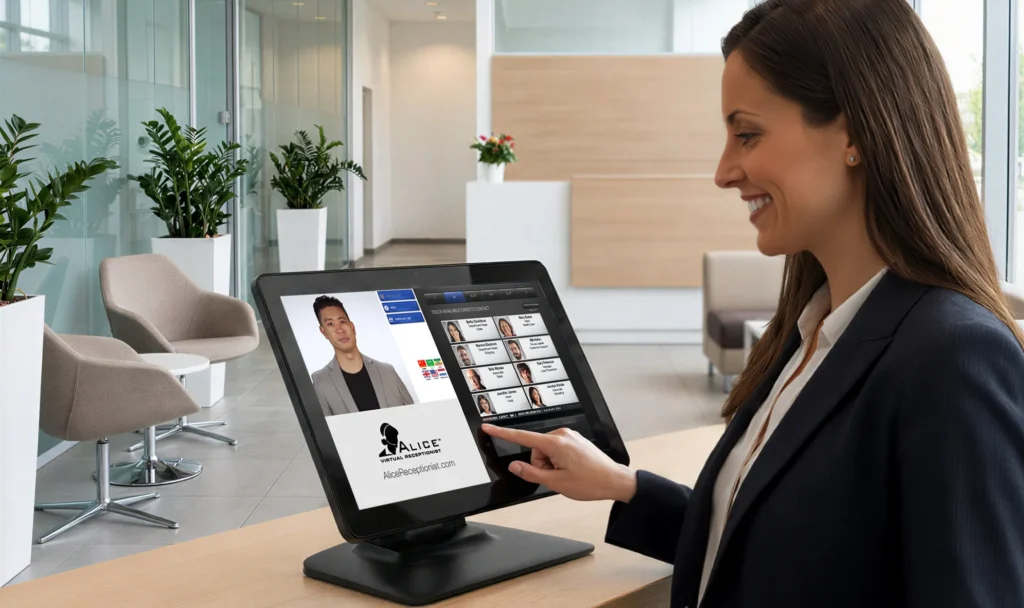
While specific setups vary by building and vendor, most visitor management systems include the same core pieces:
- Self-service check-in. A kiosk, tablet, or touchscreen lets visitors enter their name, the person they are visiting, and the reason for their visit.
- Automated host notifications. A text, email, or messaging alert reaches the right employee as soon as their guest checks in, so no one has to call the front desk.
- Visitor badge printing. A printed badge identifies the guest and, in many cases, shows when the visit should end.
- Digital visitor records. The system logs every check-in automatically, creating a searchable record that beats a paper log on every measure.
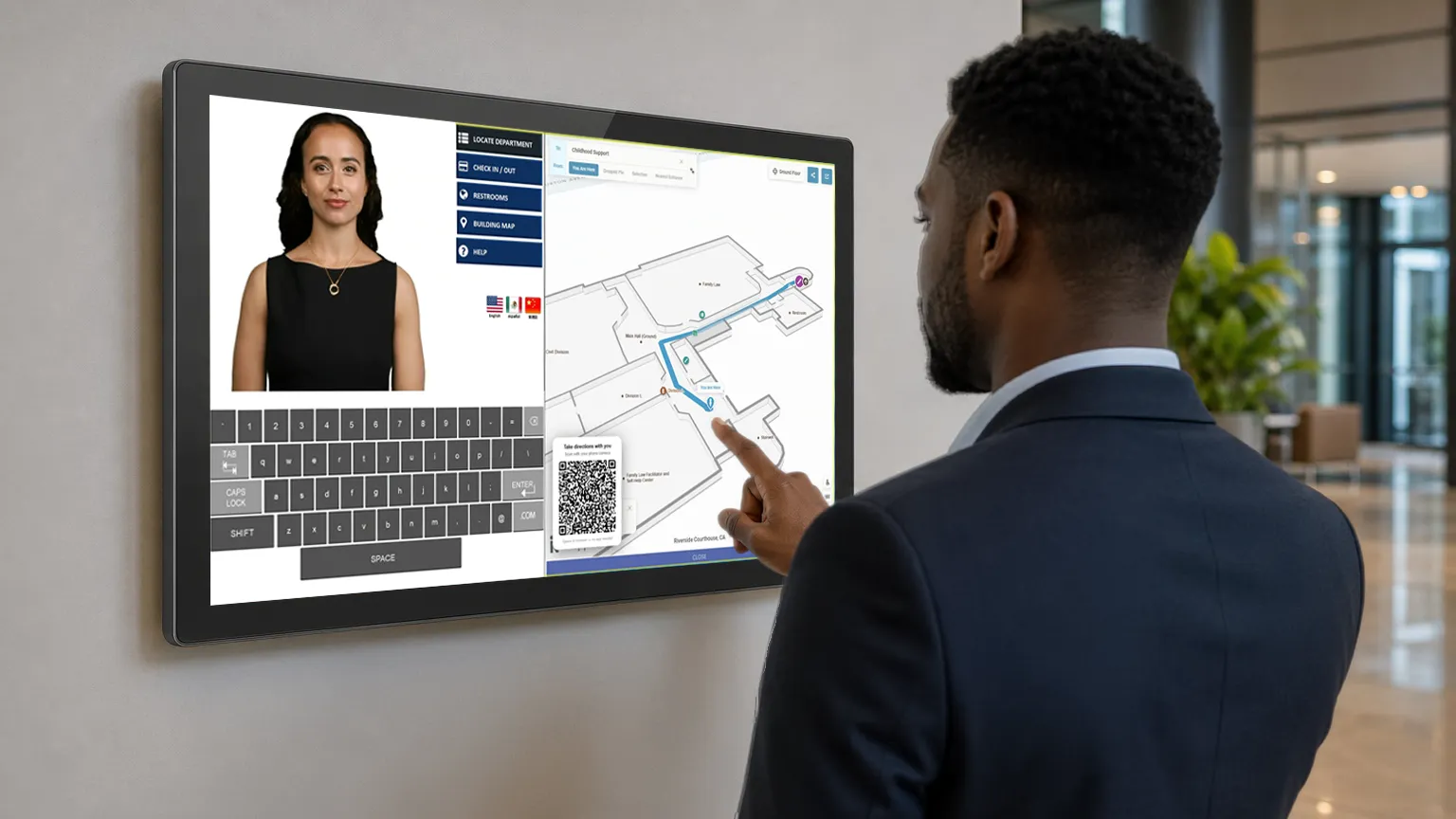
- Building directory and wayfinding. Many systems also help visitors find the right floor, suite, or department once they check in.
Some setups add video calling, so a visitor can speak directly with an employee or a remote receptionist. That option works well for buildings that no longer keep anyone stationed at the front desk full time.
Who Uses a Digital Front Desk
Digital front desks show up across a wide range of building types. That said, the priorities shift depending on the setting.
Professional offices and corporate buildings project a consistent, branded first impression across every location, without staffing a receptionist at each one. Manufacturing facilities track contractors and vendors for safety and compliance purposes. Government buildings and public agencies manage citizen visits with fewer staff, which matters most where budgets and headcount are tight. Administrative healthcare offices, meaning non-clinical settings like billing or corporate offices rather than patient-facing care
Benefits of a Digital Front Desk
- Faster check-in. Visitors move through the process in under a minute instead of waiting for someone to notice them.
- Consistent experience, every location. A branded, standardized check-in process looks and feels the same whether a visitor is at headquarters or a satellite office.
- Freed-up staff time. Employees are not pulled away from their work to greet guests or answer the phone at the front desk.
- More accurate records. Digital check-in data is complete, legible, and searchable, which matters during audits, incident reviews, or simple day-to-day reporting.
- Lower staffing cost. A digital front desk does not replace every function of a receptionist, but it removes the need to keep a dedicated person at the door during every open hour.
How ALICE Approaches the Digital Front Desk
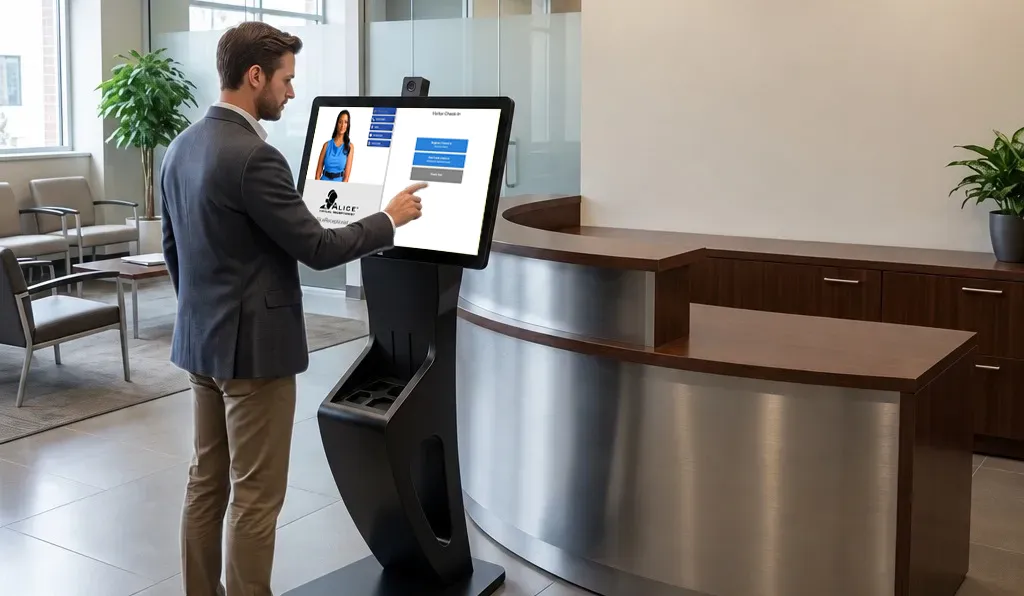
ALICE Receptionist calls its version of this technology a Virtual Front Desk. Rather than a static kiosk, it uses a branded, on-screen avatar to greet visitors, walk them through check-in, and connect them to the right person by phone or video call, all without requiring a live receptionist on-site.
Organizations using ALICE have reported strong results. According to Info-Tech Research Group’s SoftwareReviews, 97 percent of ALICE customers plan to renew their subscriptions. In one deployment at a county courthouse, the system handled more than 94,000 juror check-ins, with 80 percent of visitors completing the process without staff assistance.
How It Fits Different Industries
An automated front desk looks a little different depending on the setting. Here is how organizations tend to use the same core system across a few common environments:
- Government buildings – Facilities and IT leaders often prioritize visitor screening, badge printing, and audit-ready visit logs. They also want the ability to route visitors to the correct department or courtroom.
- Professional services and legal offices – Client confidentiality and a polished first impression matter here. Firms lean on private host notification, NDA capture at check-in, and consistent branding on screen.
- Manufacturing and industrial facilities – Facility managers typically use the kiosk for contractor and vendor check-in and safety orientation content. It also verifies that visitors have completed required paperwork before entering the floor.
- Corporate and enterprise offices – Beyond guest greeting, the platform keeps image and process consistent across locations, with logged check-ins supporting audits and NDAs.
- Healthcare facilities – Front desk automation supports patient and visitor check-in, wayfinding to departments, and consistent screening at entry points, even with limited staff time.
- Emergency services (police and fire stations) – The platform provides lobby coverage and accessibility for unattended stations, routing walk-ins to dispatch or connecting them to other department services remotely, so the public can always reach someone.
How ALICE Receptionist Reduces Costs
Staffing a front desk can be expensive, especially for organizations with multiple sites or round-the-clock coverage needs. ALICE Receptionist reduces the need for a full-time, in-person receptionist by automating the lobby, which can lead to:
- Labor cost savings – A largely automated lobby experience reduces the need for dedicated front desk staffing.
- Round-the-clock coverage – ALICE Receptionist operates continuously, covering lobbies outside normal business hours as well.
- Consistent service delivery– ALICE greets every guest the same way and applies check-in policies consistently, rather than depending on who is at the desk that day.
- Reduced liability and security risk – Employees can visually verify guests over live video before granting them access to the building.
- Integration with existing infrastructure – Support for tools such as Microsoft Teams, Cisco and Avaya SIP phones, Azure Active Directory, and SSO login lets ALICE work alongside the technology an office already uses.
See ALICE’s Virtual Front Desk in Action
Schedule a discovery call with one of our specialists and see how ALICE Receptionist’s Virtual Front Desk can automate your lobby while still giving every visitor a consistent, professional welcome.
Frequently Asked Questions
A digital front desk is a self-service system, typically a kiosk, tablet, or wall-mounted screen, that checks visitors in, notifies the host, and often prints a badge, replacing some or all of the functions of a staffed reception desk.
Virtual front desk software is the technology that powers a digital front desk. It manages the check-in workflow, sends host notifications, and in more advanced systems, uses video calling or an on-screen avatar to interact with visitors directly.
Many organizations reduce or eliminate the need for a dedicated, full-time receptionist after adopting a digital front desk, though some choose to keep staff available for more complex situations while the system handles routine check-ins.
Digital front desks generally improve security compared to a paper sign-in sheet by creating accurate, searchable visitor records and, in many systems, offering optional identity verification or watch-list screening before a badge is issued.
Yes. Because the check-in process and branding are managed centrally, a digital front desk can deliver the same consistent experience across every location without configuring each site separately.