Table of contents
- The Rise of Automated Reception Solutions
- Improving Guest Experience with AI Avatars
- A Guest’s Visit, Step by Step
- Customers in Their Own Words
- On-Demand Real-Time Communications
- Interactive Information
- How It Fits Different Industries
- How ALICE Receptionist Reduces Costs
- Schedule a discovery call with one of our Front Desk specialists and learn how ALICE Receptionist Front Desk can elevate and automate your office lobby.
In today’s fast-paced, technology-driven world, businesses constantly look for ways to streamline operations, reduce overhead, and enhance customer experiences. One often-overlooked area ripe for innovation is the office front desk. Receptionists or security personnel traditionally staff building lobbies, making them a visitor’s first point of contact and the first chance to make a strong impression.
ALICE Receptionist is a visitor management and front desk platform that changes how businesses welcome guests. It delivers memorable experiences, cost savings, and efficiency without sacrificing security or personal service.
The Rise of Automated Reception Solutions
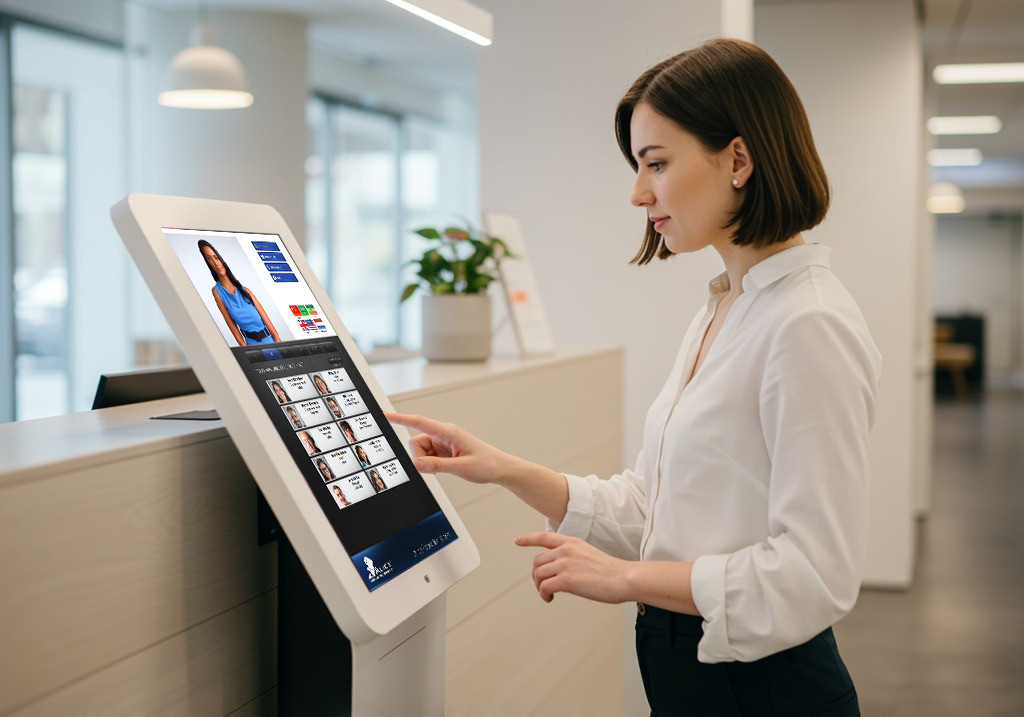
ALICE Receptionist is a front desk automation solution that transforms how office buildings manage visitor interactions. By leveraging AI technology, ALICE replaces staffed front desks with AI avatars, virtual receptionists that provide a seamless, professional greeting. These avatars use motion detection to engage guests as they approach, and they deliver a warm, customer-specific welcome message the moment someone walks in.
One standout feature of ALICE Receptionist is its ability to connect visitors with employees through integrated audio and video calling. Once a guest arrives, the ALICE system calls the appropriate staff member and starts a real-time video call. This ensures prompt communication without stationing an employee at the front desk.
By eliminating the need for on-site front desk personnel, ALICE Receptionist reduces operational costs while maintaining a high standard of service. The system operates around the clock, greeting and assisting visitors at any time of day. Its customizable interface and multilingual support make it adaptable across industries, from corporate offices to government buildings. Businesses can modernize their lobbies and deliver a consistently professional first impression.
Improving Guest Experience with AI Avatars

First impressions matter, and ALICE Receptionist greets every guest promptly and professionally, no matter how busy the office is. The AI avatars offer a warm, consistent welcome and handle multiple languages, accommodating accessibility needs and personalizing the guest experience.
ALICE builds its AI avatars from video recordings of real people, not animated characters. AI technology manipulates the avatars so they can speak various languages, deliver customizable greetings and instructions, and project a professional image at the door.
Because the avatars greet and assist every guest who enters the building, companies can fully automate the office lobby without stationing staff at the front desk. This frees front desk workers for higher-value tasks while the lobby keeps a polished, professional presence.
A Guest’s Visit, Step by Step
It helps to walk through what happens when a visitor arrives, since that sequence sets an automated lobby apart from a traditional one:
- Arrival and greeting – Motion detection senses the guest approaching the kiosk. An AI avatar greets them by name if they pre-registered, or with a general welcome if not.
- Check-in – The guest signs in on the touch screen. It captures who they are visiting, the purpose of the visit, and any required agreements or NDAs.
- Host lookup – The guest selects their host from an employee or department directory on screen.
- Live connection – ALICE places a two-way audio or video call to the host. The employee sees and speaks with the guest before granting access.
- Access and wayfinding – Once the host approves, the guest may receive a badge, directions to a meeting room, or building map guidance, depending on how the organization set up the system.
- Departure and logging – ALICE logs the visit for records and compliance, and the guest checks out through the same kiosk when they leave.
Customers in Their Own Words



Because every step happens through the kiosk and a live video connection, employees keep the same visual verification and control they would have with an in-person receptionist. No one needs to sit at the desk full time.
On-Demand Real-Time Communications
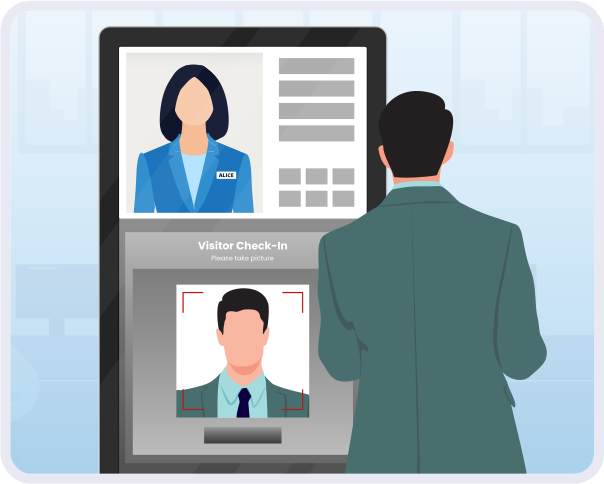
As guests arrive at your building, a front desk worker traditionally contacts the employee the guest is visiting. ALICE Receptionist gives guests an employee or department directory to find and call the person they are meeting. It connects employee and guest through two-way audio or video calls. This gives employees the security of seeing and speaking with their guests before allowing them into the building. It also gives guests the reassurance of speaking with a live person through the ALICE kiosk, rather than waiting at an empty desk.
Interactive Information

Another essential function of ALICE Receptionist is providing guests with information once they check in. The interactive touch screen lets guests browse building maps, web pages, web forms, image slideshows, videos, and other content an organization wants to present. Visitors can find their way and get answers to their questions without asking a staff member.
How It Fits Different Industries
An automated front desk looks a little different depending on the setting. Here is how organizations tend to use the same core system across a few common environments:
- Government buildings – Facilities and IT leaders often prioritize visitor screening, badge printing, and audit-ready visit logs. They also want the ability to route visitors to the correct department or courtroom.
- Professional services and legal offices – Client confidentiality and a polished first impression matter here. Firms lean on private host notification, NDA capture at check-in, and consistent branding on screen.
- Manufacturing and industrial facilities – Facility managers typically use the kiosk for contractor and vendor check-in and safety orientation content. It also verifies that visitors have completed required paperwork before entering the floor.
- Corporate and enterprise offices – Beyond guest greeting, HR teams use the platform for employee-facing tasks such as new hire check-in or internal wayfinding across large or multi-tenant buildings.
- Healthcare facilities – Front desk automation supports patient and visitor check-in, wayfinding to departments, and consistent screening at entry points, even with limited staff time.
- Emergency services (police and fire stations) – Lobby coverage for stations that may not staff a front desk around the clock. The kiosk routes walk-ins to dispatch or the on-duty officer, giving the public a way to reach someone even when the station is unattended.
How ALICE Receptionist Reduces Costs
Staffing a front desk can be expensive, especially for organizations with multiple sites or round-the-clock coverage needs. ALICE Receptionist reduces the need for a full-time, in-person receptionist by automating the lobby, which can lead to:
- Labor cost savings – A largely automated lobby experience reduces the need for dedicated front desk staffing.
- Round-the-clock coverage – ALICE Receptionist operates continuously, covering lobbies outside normal business hours as well.
- Consistent service delivery– ALICE greets every guest the same way and applies check-in policies consistently, rather than depending on who is at the desk that day.
- Reduced liability and security risk – Employees can visually verify guests over live video before granting them access to the building.
- Integration with existing infrastructure – Support for tools such as Microsoft Teams, Cisco and Avaya SIP phones, Azure Active Directory, and SSO login lets ALICE work alongside the technology an office already uses.
Schedule a discovery call with one of our Front Desk specialists and learn how ALICE Receptionist Front Desk can elevate and automate your office lobby.
Not necessarily. Many organizations use ALICE to fully automate the lobby. Others use it to supplement existing staff during peak hours or after hours, keeping a person at the desk when it makes sense and letting the system handle overflow or off-hours coverage.
Because employees see and speak with each guest over live video before granting access, they can decline entry or flag a concern in real time. Visit logs also create a record of who was in the building and when, which supports incident review after the fact.
ALICE Receptionist works alongside common business tools, including Microsoft Teams, Azure Active Directory, and single sign-on. IT teams do not have to manage the platform as a completely separate system.
Yes. The AI avatars can deliver greetings and instructions in multiple languages, and the interface accommodates a range of accessibility needs at check-in.
Both. The platform is software-driven, so the same account can manage check-in, directories, and reporting across several sites. That is part of why organizations with multiple locations or round-the-clock coverage needs often find it worthwhile.