
A slow, confusing, or unsecured visitor management process signals disorganization at best and a security risk at worst. Before a visitor meets anyone in your organization, they experience your lobby. A well-designed process ensures that every person who walks through your door is welcomed professionally, verified appropriately, and logged accurately.
Whether you manage a corporate office, a government facility, a manufacturing plant, or a healthcare practice, a documented visitor management process protects your people, your assets, and your reputation. This guide walks through what an effective visitor management procedure looks like, the steps involved, and the best practices that separate a functional system from a truly professional one.
What Is a Visitor Management Process?
A visitor management process is the set of procedures an organization uses to handle guests from the moment a visit is scheduled through the moment they leave the premises. It covers everything from pre-arrival communication, identity verification, host notification, and post-visit record keeping.
A visitor management process is distinct from simply having a sign-in sheet. A sign-in sheet records names. A visitor management process governs the full experience: who is expected, what they are permitted to access, how staff are notified of their arrival, what documents they must acknowledge, and what record is kept of their visit.
Organizations of every size benefit from a documented process. For smaller offices, it creates consistency and professionalism. For larger facilities with high visitor volume, multiple locations, or compliance requirements, a structured visitor management procedure is essential.
The 4 Steps of an Effective Visitor Management Process
A complete visitor management process moves through four distinct stages. Each one plays a role in the security, efficiency, and professionalism of the overall experience.
Step 1: Pre-Registration and Appointment Scheduling
The process begins before the visitor arrives. Pre-registration allows organizations to collect visitor information in advance, confirm appointments, and review any safety and induction documents. When integrated with calendar tools like Microsoft Outlook, Microsoft Teams, or Google Calendar, pre-registration happens automatically as part of the meeting invite workflow. The check-in process on arrival moves significantly faster because most information is already on file.
Step 2: Arrival and Identity Verification
When a visitor arrives, the first priority is verifying who they are. This can range from a simple name lookup against an expected visitor list to driver’s license scanning or screening against watchlists.
Identity verification protects the organization and creates accountability. For regulated industries such as manufacturing, government, or healthcare, this step may also involve confirming driver’s licenses, citizenship status, or NDA requirements before access is granted.
Step 3: Check-In, Badging, and Host Notification
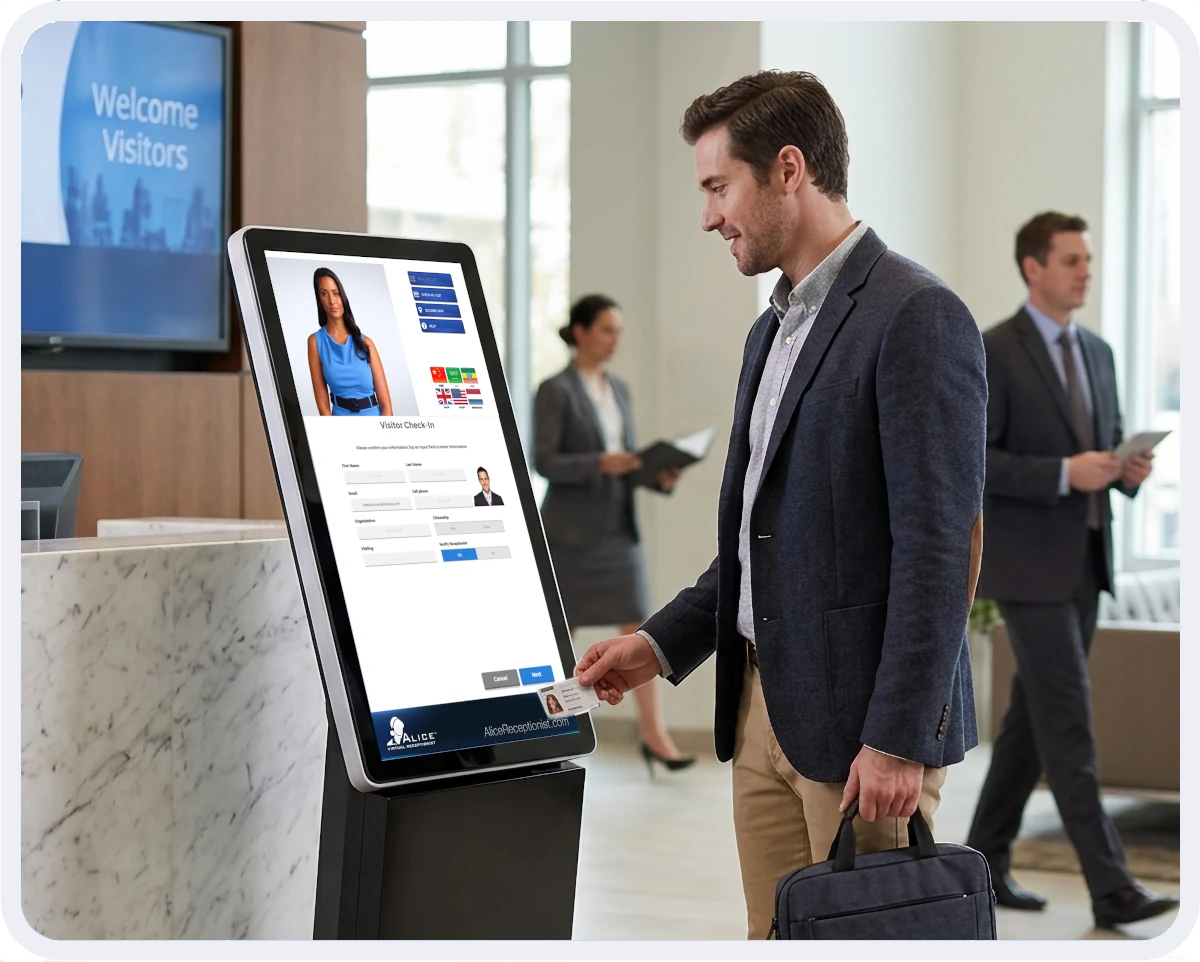
Once a visitor is verified, they complete check-in. This is the point at which they acknowledge any required policies, safety inductions, or legal documents such as NDAs. A visitor badge is printed to identify them while on premises, and the host employee receives an automatic notification that their guest has arrived.
Automated host notification is one of the most impactful improvements an organization can make to the visitor management process. It eliminates the front desk bottleneck of manually locating and alerting staff, reduces lobby wait times, and ensures visitors are never left standing unacknowledged.
Step 4: Check-Out and Record Keeping
A visitor management process is only complete when the visitor checks out. Check-out closes the visit record and confirms the visitor has left the premises.
Complete visitor records serve multiple purposes: emergency notifications, compliance audits, security incident investigations, and stored details for faster check-ins for returning guests. A digital visitor log that captures arrival time, departure time, host, purpose of visit, and documents signed is a significant upgrade over any paper-based alternative.
Visitor Management Best Practices
Having a process is the baseline. These best practices separate organizations that simply manage visitors from those that do it well.
- Standardize across all locations. If your organization operates multiple sites, a consistent visitor management process ensures that security standards, compliance requirements, and guest experiences do not vary by location. Standardization also simplifies staff training and audit reporting.
- Distinguish between visitor types. Guests, contractors, vendors, and delivery personnel have different access needs, compliance requirements, and risk profiles. Your process should handle each category differently rather than applying a one-size-fits-all check-in flow.
- Automate host notifications. Manual notification systems create bottlenecks and delays. Automated alerts via text, email, or platforms like Microsoft Teams or Slack ensure employees are notified the moment their visitor checks in, regardless of where they are in the building.
- Maintain a complete digital visitor log. Paper sign-in sheets create compliance gaps, are difficult to search, and provide no audit trail. A digital log with timestamped records, document acknowledgments, and check-out data supports security audits, emergency response, and regulatory requirements.
- Build in document acknowledgment at check-in. NDAs, safety briefings, and facility policies are most effectively presented and captured during the check-in process, when the visitor is present and the visit record is open. Collecting signatures digitally at this step creates a timestamped, auditable record tied directly to the visit.
Common Visitor Management Mistakes to Avoid
Even well-run organizations fall into these process traps. Recognizing them is the first step to fixing them.
- Relying on paper sign-in sheets. Paper logs cannot send host notifications, cannot be searched quickly in an emergency, and cannot produce compliance reports. They also create a privacy risk if left visible on a front desk.
- Skipping the check-out step. Without check-out, your visitor log does not reflect who is actually on premises at any given moment. This is a safety issue during emergencies and a compliance issue for audits.
- No document or policy acknowledgment workflow. Organizations that hand visitors an NDA or safety briefing on paper and file it separately lose the connection between the signed document and the visit record. Digital capture at check-in keeps everything tied together.
- Inconsistent processes across locations. If your main office has a rigorous visitor process and your satellite location uses a clipboard, your overall security posture is only as strong as the weakest site.

Book a Demo
See your visitor management process running on autopilot.
ALICE Receptionist automatically handles every step covered in this guide: pre-registration, identity verification, host notification, and digital record keeping. A demo shows you exactly how it maps to your facility, your visitor volume, and your check-in workflow.
Book a demo and see what a modern visitor management process looks like in practice.
Frequently Asked Questions
What should be included in a visitor management process?
A complete visitor management process should include pre-registration, arrival and identity verification, check-in with host notification, document acknowledgment, and check-out with record keeping. Each step serves a distinct purpose in the overall security and guest experience chain.
What is the difference between visitor sign-in and visitor registration?
Visitor sign-in refers to the act of logging a visitor’s presence at a facility. Visitor registration is broader and typically includes collecting personal information, confirming identity, acknowledging policies, and creating a visit record. Registration is a more complete visitor management procedure, while sign-in can refer to any form of arrival logging including a paper sheet.
What records should a visitor management system keep?
A visitor management system should keep a complete record for each visit including visitor name and contact information, arrival and departure time, host employee, purpose of visit, documents signed, and any screening results. These records support emergency reporting, compliance audits, and security incident investigations, and should be searchable and exportable.
How does visitor management improve building security?
Visitor management improves building security by ensuring that every person on premises is accounted for, verified, and badged. It creates an accurate real-time record of who is in the building, supports watchlist screening at check-in, and provides a complete audit trail for security incident reviews. Organizations that replace paper sign-in sheets with a digital visitor management process consistently report improvements in both perceived and actual security.